
Run the whole tournament from your phone.
Pools, brackets and scoring for every lyst. Marshals score from their own phones, the crowd watches on the big screen, and your results come out clean at the end of the day. It keeps working with no signal.
Android app. Every new install includes a 14-day free trial of the Full plan.
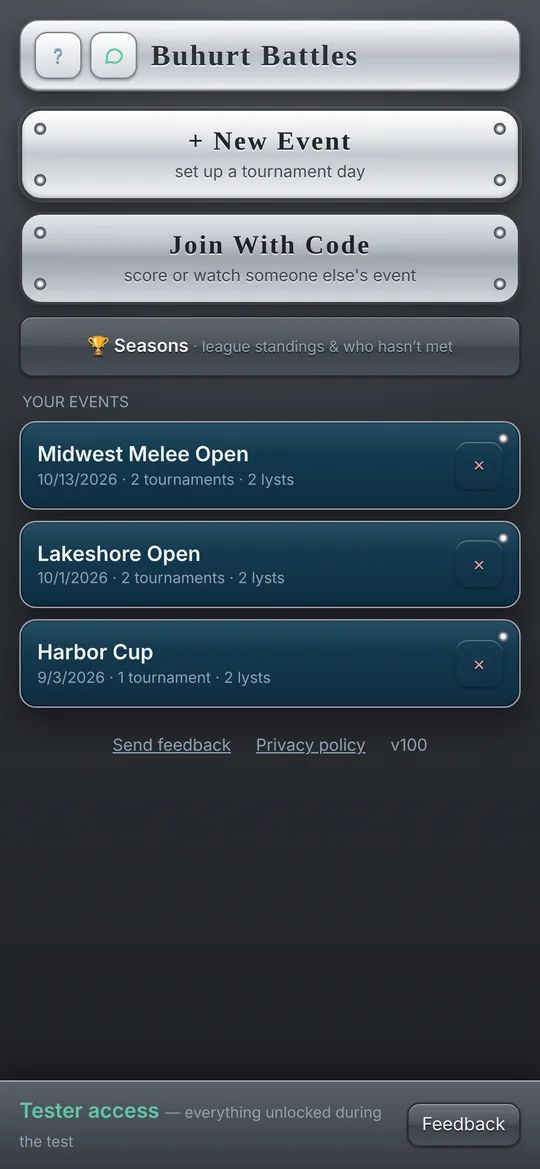
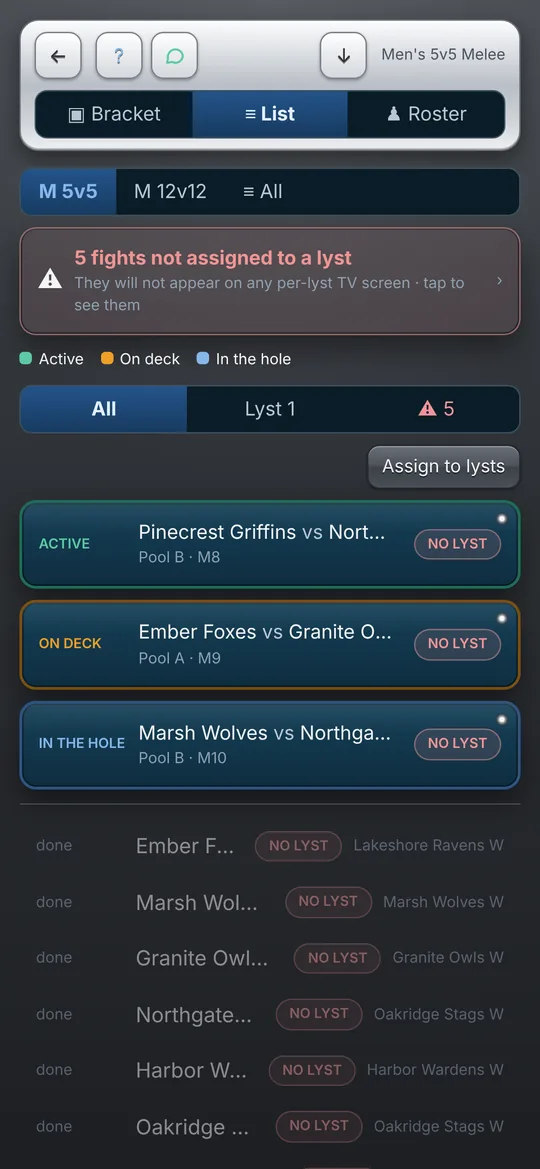
Everything the head table does, on one phone.
Set up the day the night before, then run it on the field. Every format, every category, as many lysts as you’ve got.
Every format
Melees from 3v3 to 30v30, duels and outrance weight classes. Pools or a round robin, Swiss rounds, and single-elimination finals with a bronze fight.
Fast seeding
Pick fighters and teams from a built-in directory, or type in anyone new. Randomize pools keeps a club’s first and second teams in different pools.
Score from every lyst
Share a code and Marshals send scores from their own phones. The Head Secretary confirms each one before it counts, so nobody can quietly change a result.
Big-screen view
Put the running order and live results on a TV or projector at the venue. It rotates through the lysts on its own.
Works with no signal
Everything is saved on the phone first. Sheds, fields and castle courtyards are fine, and scores sync when the signal comes back.
Clean results, free
Export results as spreadsheets, ready to file with your federation. Exporting is free on every plan, even after the trial ends.
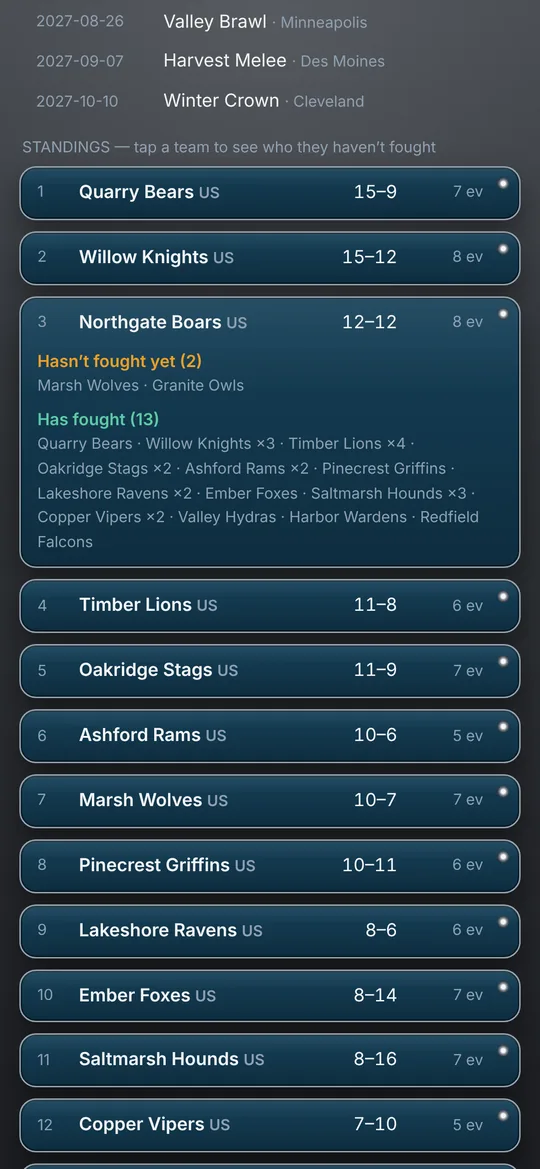
Seasons: every team meets every team.
Run a league across a whole year of events: forty tournaments, forty teams. Buhurt Battles remembers who has fought whom, and builds each event’s pools to pair teams that haven’t met yet.
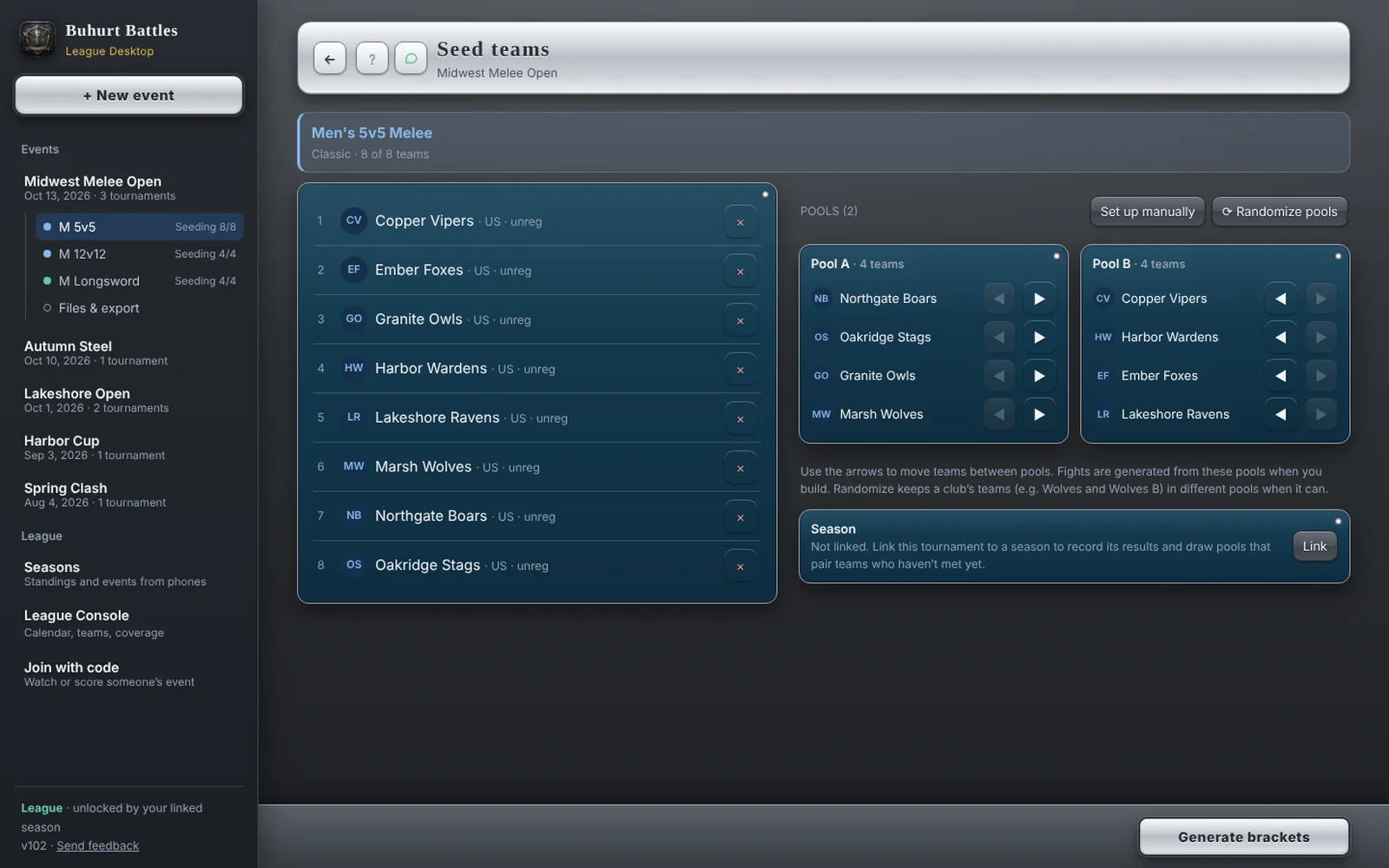
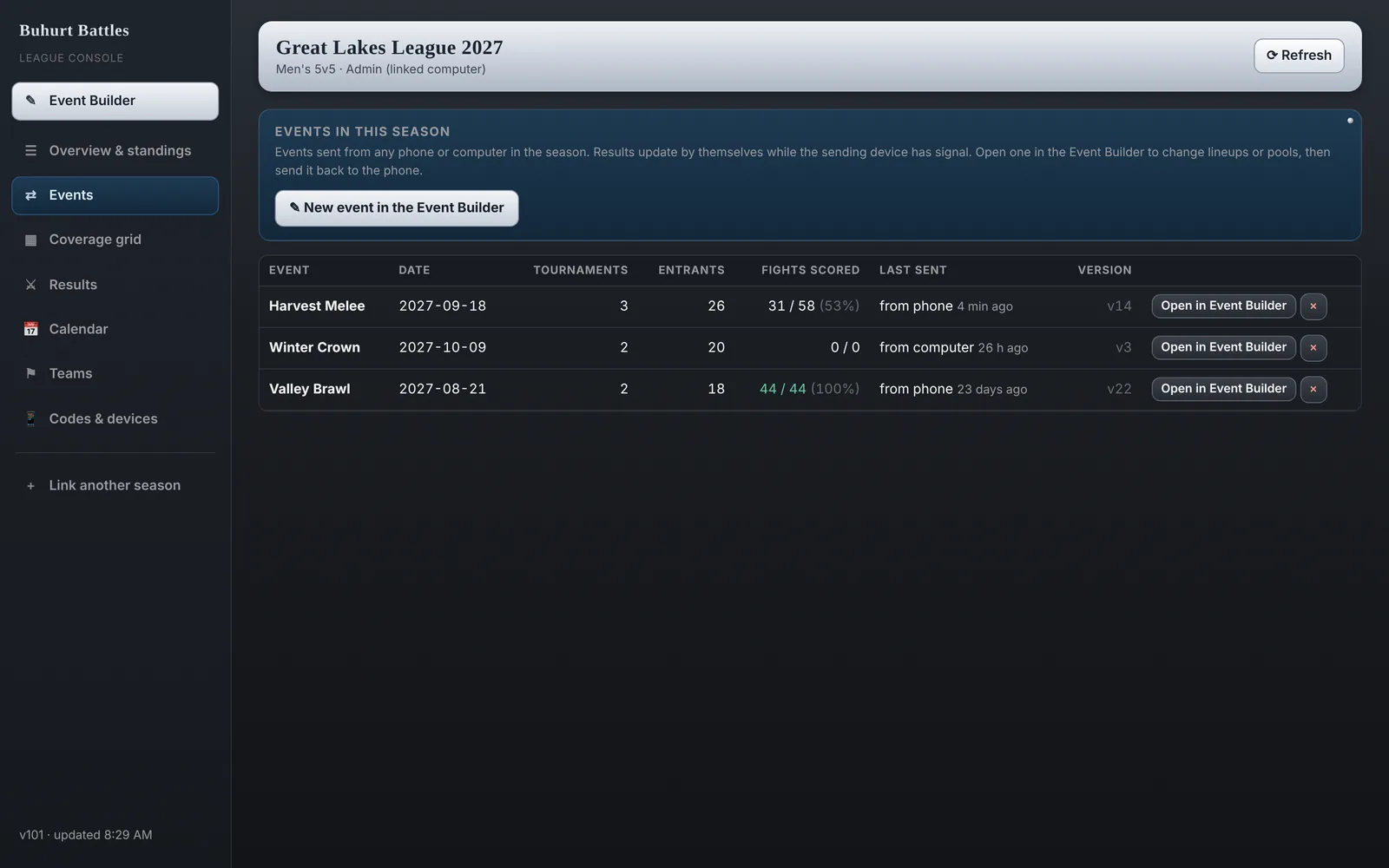
- Build events on your computer: categories, team lineups, fighters and pools on a big screen, then send them to your phone for event day
- Results come back on their own: send an event from the phone, and the computer sees the fights as they’re scored
- Even pool draws: over the season, every team fights every other team an equal number of times, or as close as possible, and a club’s teams stay apart
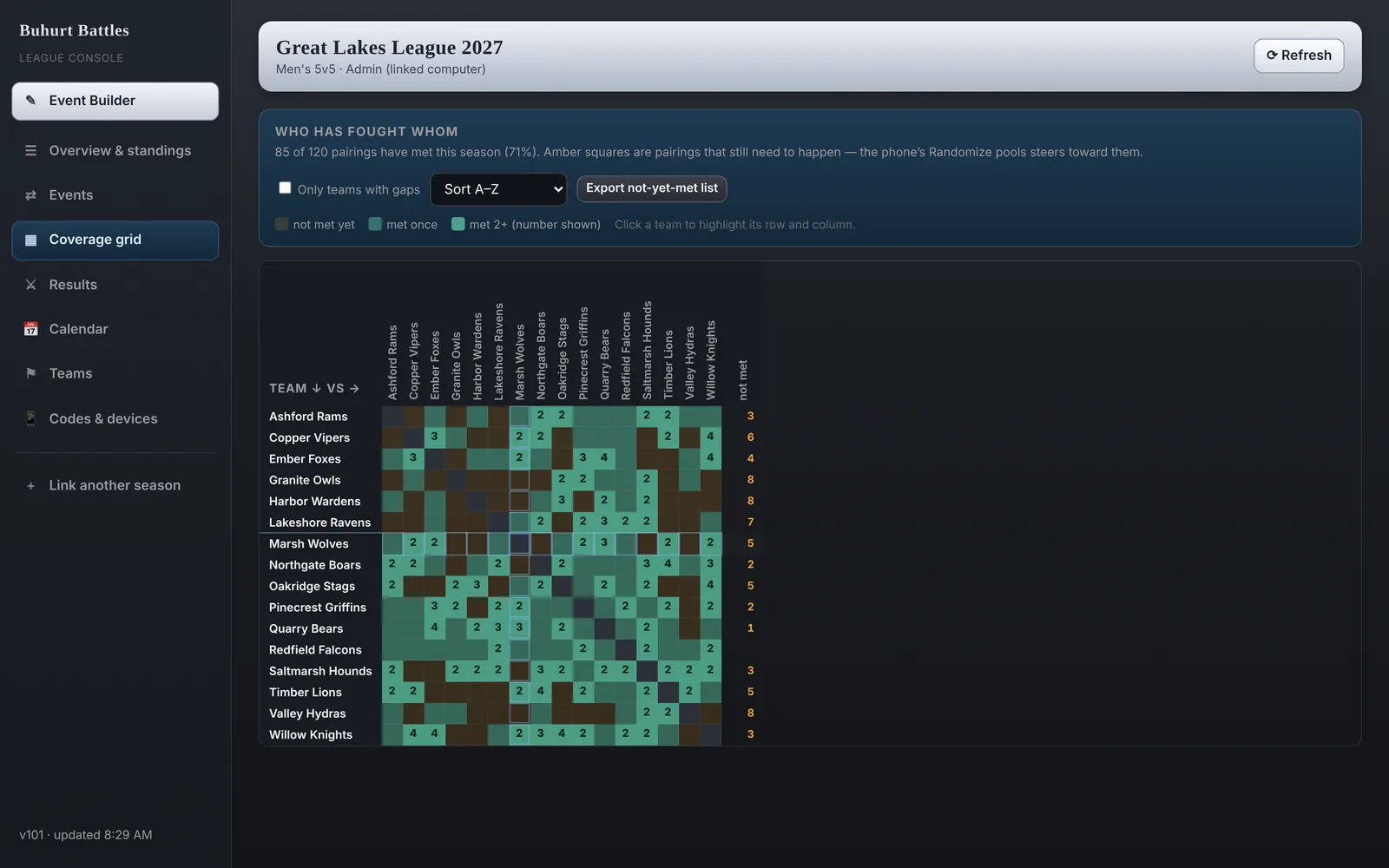
- Season standings, a who-hasn’t-fought-whom grid, the season calendar and the team list
League Desktop App
The Event Builder and the League Console, installed on your Windows, Mac or Chromebook computer. It links to your season from the phone app with a one-time code.
Pick the size of your operation.
Billed through Google Play. Cancel any time in Google Play › Payments & subscriptions. Every new install gets 14 days of Full, free.
Basic
- Every category and format
- One lyst, one device
- Pools, Swiss, finals
- Free exports, always
Full
- Everything in Basic
- Live sync: Marshals and Head Secretaries on their own phones
- Multiple lysts at once
- Big-screen view
League
- Everything in Full
- League Desktop App: build events on your computer, send them to your phone
- Seasons across all your events
- Even pool draws across the season
- Season standings and the coverage grid
Prices in US dollars. Google Play shows the price in your own currency before you buy.
Good to know
Does it work without internet?
Yes. Events, brackets and scores are saved on the phone first, so a single-phone event needs no signal at all. Live sync between phones catches up as soon as a connection comes back.
Do Marshals and viewers need to pay?
No. The organizer’s plan covers the event. Anyone joining with a code (to watch, or to score as a Marshal or Head Secretary) uses the free app.
Will every team fight every other team over the season?
That’s the goal: every team fights every other team an equal number of times, or as close to even as possible. Each draw looks at everything fought so far this season and evens out the pools. Keeping a club’s teams apart always comes first. Teams that skip events may finish with a few matchups still to come, and the coverage grid shows exactly which.
What do I need for the League Desktop App?
Chrome or Edge on a Windows, Mac or Chromebook computer. Click Install League Desktop App above, then link it with a one-time code from your phone (Seasons › your season › Link a computer). It also runs in any modern browser without installing.
Can I set up an event on the computer and run it on my phone?
Yes, that’s what the League Desktop App is for. Build the event in the Event Builder (categories, lineups, pools), tap Send to season, and on your phone open Seasons › your season › Events › Get. It works the other way too: send an event from the phone and open it on the computer with its results. If both change the same event, the app asks which copy to keep, so nothing is silently overwritten.
Is there an iPhone version?
Not yet. The phone app is on Android. The League Desktop App works on any computer.
What happens to my data?
Your events stay on your phone unless you share them. Shared events and season results are stored securely so the other phones and computers in that event or season can see them. No ads and no tracking. The full details are in our privacy policy.